The Microsoft 365 e-mail system
What does Microsoft 365 include and how can I use its components? The Microsoft 365 e-mail system
Microsoft 365 is a cloud service from Microsoft with online communication functions for companies and educational institutions.
Microsoft 365 contains a range of different products:
- an e-mail and collaboration system
- Web applications for editing Word documents, Excel spreadsheets, presentations and other web services
- Functions for editing and managing documents
- Group work functions based on SharePoint
- Teams as an audio, video and instant messaging conference system
- 1 terabyte OneDrive as online data storage
- Interfaces for synchronizing all data on multiple devices (computer, laptop, tablet, smartphone, ...)
- Installation of the Microsoft 365 package on up to 5 PCs or Macs
Please note: To download and install Microsoft 365, you must be a user of the Microsoft 365 email system. You can switch to Microsoft 365 if you have been using the alternative e-mail system at mailex.uni-bamberg.de
The Microsoft 365 email system offers an email inbox for sending and receiving emails with a storage capacity of 50 GB.
It also includes the extensive collaboration functions familiar from Outlook/Exchange.
For example, you can ...
- save emails and calendar, task, notes and contact data online and synchronize them with multiple devices.
- use the full range of Outlook/Exchange functions on your PC and smartphone.
- Set up reminders that signal appointments on both your PC and smartphone.
- Arrange appointments with other users.
- Share email, calendar, tasks, notes and contact folders with other users.
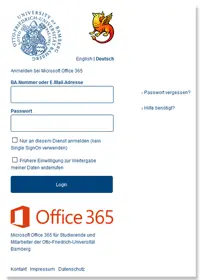
You can access Microsoft 365 via the web interface m365.uni-bamberg.de and manage your mailbox there under Outlook, send e-mails, etc.
You can authenticate yourself via the so-called Shibboleth login with your BA number and the corresponding password.
You can set up your e-mail inbox in any e-mail program.
In the following step-by-step instructions, we explain which settings you need to make in the relevant program:
- E-Mail-Postfach in Outlook unter Windows einrichten
- E-Mail-Postfach in Outlook unter macOS einrichten
- E-Mail-Postfach in Apple Mail unter macOS einrichten
- E-Mail-Postfach in Thunderbird einrichten
- E-Mail-Postfach unter iOS einrichten
- E-Mail-Postfach in Android einrichten
All instructions are listed on the left-hand side.
First-year students at the University of Bamberg must decide whether they want to use Office 365 or the alternative e-mail system when they enrol. Students who use the alternative e-mail system can switch to Office 365 at any time and vice versa. Existing emails can be moved with the help of a locally installed email program (such as Thunderbird or Outlook).
Instructions for changing the e-mail system:
- Vom alternativen System auf Microsoft 365 wechseln
- Von Microsoft 365 auf das alternative System wechseln
Please note the following important information:
- After the changeover, Microsoft 365 will be available to you from 8 a.m. the following day. Until then, please continue to retrieve your emails via the alternative email system. From the following day, new emails will only arrive in your Microsoft 365 inbox! From this time onwards, you will no longer be able to send or receive emails using the previous alternative email system, but you will still be able to access old emails.
- If you have used forwarding on the previous (alternative) email system, you will need to set this up again in Microsoft 365. Please note that we do not recommend forwarding to private email addresses.
- If you still need your existing emails from the existing (alternative) email system, you must transfer them to Microsoft 365 yourself. To do this, set up both mailboxes in Outlook, for example, and transfer the emails from the alternative email mailbox to the mailbox in Microsoft 365.
The use of functions that go beyond pure e-mail is optional. Unlike other cloud services or widespread social networks, Microsoft 365 does not aim to use data for advertising purposes or similar. Microsoft guarantees an appropriate level of data protection in accordance with European data protection requirements.
Microsoft takes extensive measures to ensure the security and very high availability of data. The measures fulfill the requirements for suitable security mechanisms in accordance with ISO27001 certification and are regularly audited in accordance with the SAS70 standard.
The rights to personal data remain with the respective user. Microsoft does not use the data for its own purposes! In the event of manual deletion of data, revocation or termination of use, the data is reliably deleted as soon as a security period of 30 days has expired.
Further information on security and data protection with Office 365 can be found in Trust Center von Microsoft. You can find explanations on contractual relationships, subcontractors, where your data is stored and how Microsoft deals with requests from US authorities in the Cloud Compendium.
What is the problem? - Although Microsoft promises to maintain high data protection standards at its data centers, it is still legally unclear to what extent US authorities, for example, can demand access to the data stored at Microsoft. As it is not yet clear to what extent and for what purpose the data will be analyzed, a final assessment from a data protection perspective is not possible.
Further information can also be found in the Datenschutzerklärung.
Working together with Microsoft 365
With Microsoft 365, you can create and edit files (Word, Excel, PowerPoint, etc.) in any web browser, regardless of the operating system. You can save the files locally or online in OneDrive.
You can make the files and folders you have created and saved in OneDrive visible to other people (share). These people must have a valid e-mail address.
The sharing of files is not linked to people with a user account at this university or the use of Microsoft 365. Only folder sharing is restricted to students with Microsoft 365 and employees with Microsoft 365 Business.
You can use the OneDrive app to save files from your PC to your OneDrive cloud and synchronize them automatically. To be able to use the app, you must have downloaded the Office software beforehand.
Microsoft 365 allows you to create groups to share, edit and organize files and content within these groups.still have questions?