Setting Up a Student Email Account on Android (M365 Email System)
Important Notes:
To set up an email account, you must have a valid user account (BA number + corresponding password).
These instructions apply to Android version 13.0 and later; we cannot provide support for earlier versions of Android. The setup process and screenshots for other Android versions may therefore differ from the procedure described here. If you are unsure about the setup, make only the settings listed below and leave other options as they are set by default on your system.
Adding an Email Account
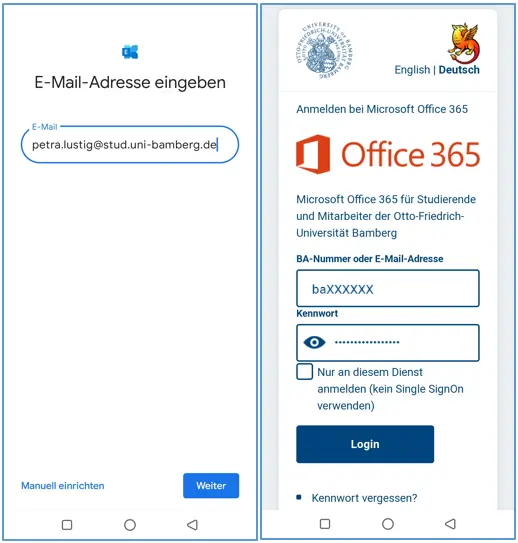
Figure 1: Entering an email address and the Shibboleth login window
After you've added a new account in the email app, select Office 365. This may vary depending on the app; for example, Exchange and Office 365 may also be listed as possible account types.
Now enter the following information:
Email address: Your university email address
After entering your email address, the Shibboleth login screen will open. Please enter your university login credentials here: