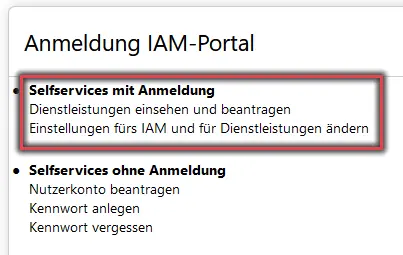
Figure 1 shows the options available on the IAM portal's home page, with self-service options requiring login highlighted.
Figure 2: Shibboleth login with BA number and password
Then log in using your BA number and the corresponding password.
Figure 2 shows the Shibboleth login screen with an example of the username and password required to log in.
Start Migrating the Email Account
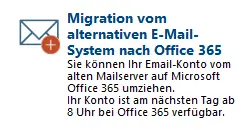
Figure 3: Migration from an alternative email system to Office 365” option
Now select Migration from the alternative email system to Office 365.
Figure 3 shows the menu option “Migration from an alternative email system to Office 365.”
Transition
Check the box next to I consent to the use of Office 365 and its advanced features and click Start.
Note:
Please note that your new Office 365 account will not be available until 8:00 a.m. the next day. Until then, you can check your email as usual in the alternative email system.
Checking E-mail
Important:
After the transition, you'll need to log in at https://o365.uni-bamberg.de. That's the only place where you can access your emails and data.