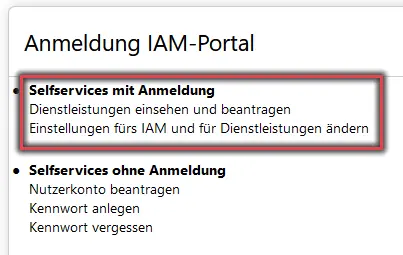
Figure 1 shows the options available on the IAM portal's home page, with self-service options requiring login highlighted.
Figure 2: Shibboleth login with BA number and password
Then log in using your BA number and the corresponding password.
Figure 2 shows the Shibboleth login screen with an example of the username and password required to log in.
Start Migrating the Email Account
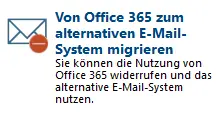
Figure 3: Select “Migrate from Office 365 to an alternative email system”
Now click Migrate from Office 365 to an alternative email system.
Figure 3 shows the menu option “Migrate from Office 365 to an alternative email system.”
Transition
After reading the information, check the box next to I no longer want to use Office 365. I will back up my emails and data stored in Office 365 myself and click Start.
Note:
You can back up your saved emails and data from Office 365 through the next day.
Checking E-mail
Important:
After the transition, you must log in at mailex.uni-bamberg.de. That is the only place where you can access your emails and data. Furthermore, any forwarding rules you previously set up will no longer work and must be reconfigured. We advise against setting up forwarding.