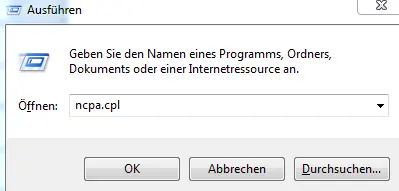
To open the network connections, right-click the Windows icon in the lower-left corner of the taskbar, then click “Run” and enter the following: ncpa.cpl Confirm by pressing Enter or clicking OK.
Select LAN Connections
Next, right-click on your LAN connection and select “Properties.” You may need to enter your PC's administrator password at this point.
Enter the DNS server for IPv4
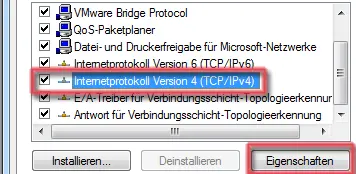
Figure 2: LAN IPv4 Properties
In the LAN connection properties, click Internet Protocol Version 4 (TCP/IPv4), and then click the Properties button.
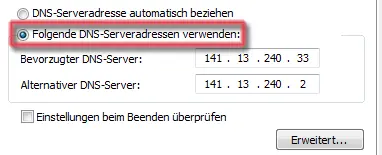
Figure 3: Entering an IPv4 DNS Server
Next, select the menu option Use the following DNS server addresses and enter the following addresses:
Preferred DNS Server: 141.13.240.33
Alternative DNS Server: 141.13.240.2
Enter DNS servers for IPv6
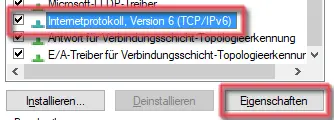
Figure 4: LAN IPv6 Properties
In the LAN connection properties, click Internet Protocol Version 6 (TCP/IPv6), and then click the Properties button.
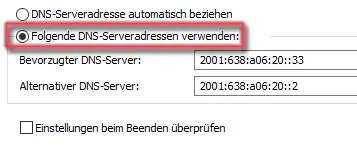
Figure 5: Entering an IPv6 DNS Server
Next, select the menu option Use the following DNS server addresses and enter the following addresses: